Combination limits (同時購入制限)
Blocks purchases based on combinations of the products you choose (cannot be bought together, must be bought together, matching quantities, setting how many products can be bought, and so on).
How to create
1. Click the 「作成する」(Create) button.

2. After clicking the button, the following page opens.
You can set up the rule on this page.
▪️「ルール名」(Rule name)

A name that helps you tell rules apart. It is optional and can be up to 50 characters.
When you give a rule a name, the name is shown in the rule list and on the reordering page, and it becomes the heading of the rule's detail page.
The rule name is not used for checking orders, so changing it does not change how checkout works or which message is shown.
▪️「ルールの状態」(Rule status)
You can switch the rule status between the following three options.

①「有効」(Active)
The rule is applied to your store right away. Choose this for normal use.
②「無効」(Inactive)
The rule is turned off for now. Use this when you want to stop a rule without deleting its settings.
③「テスト」(Test)
Choose this when you want to check how a rule works without affecting your customers.
See how to test rules
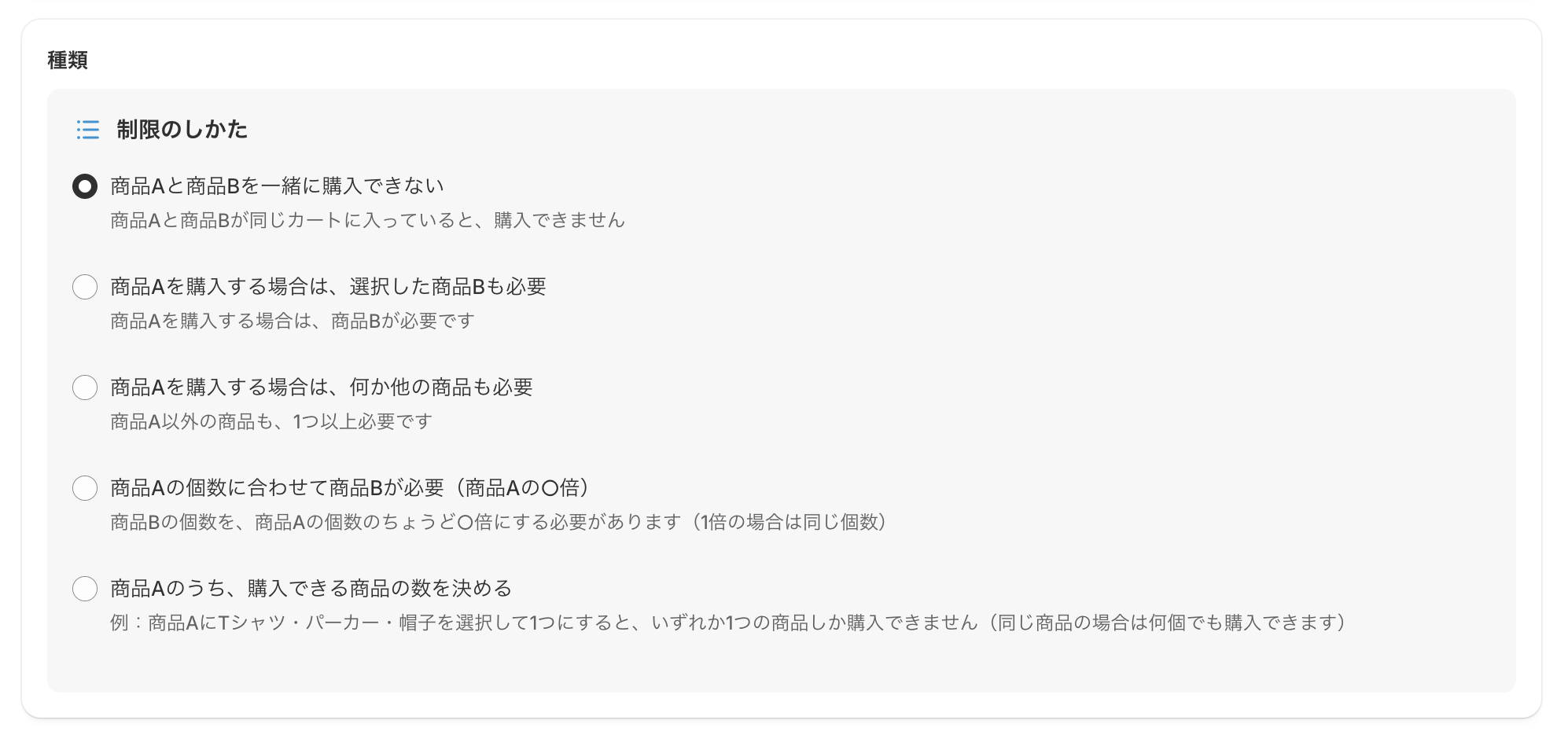
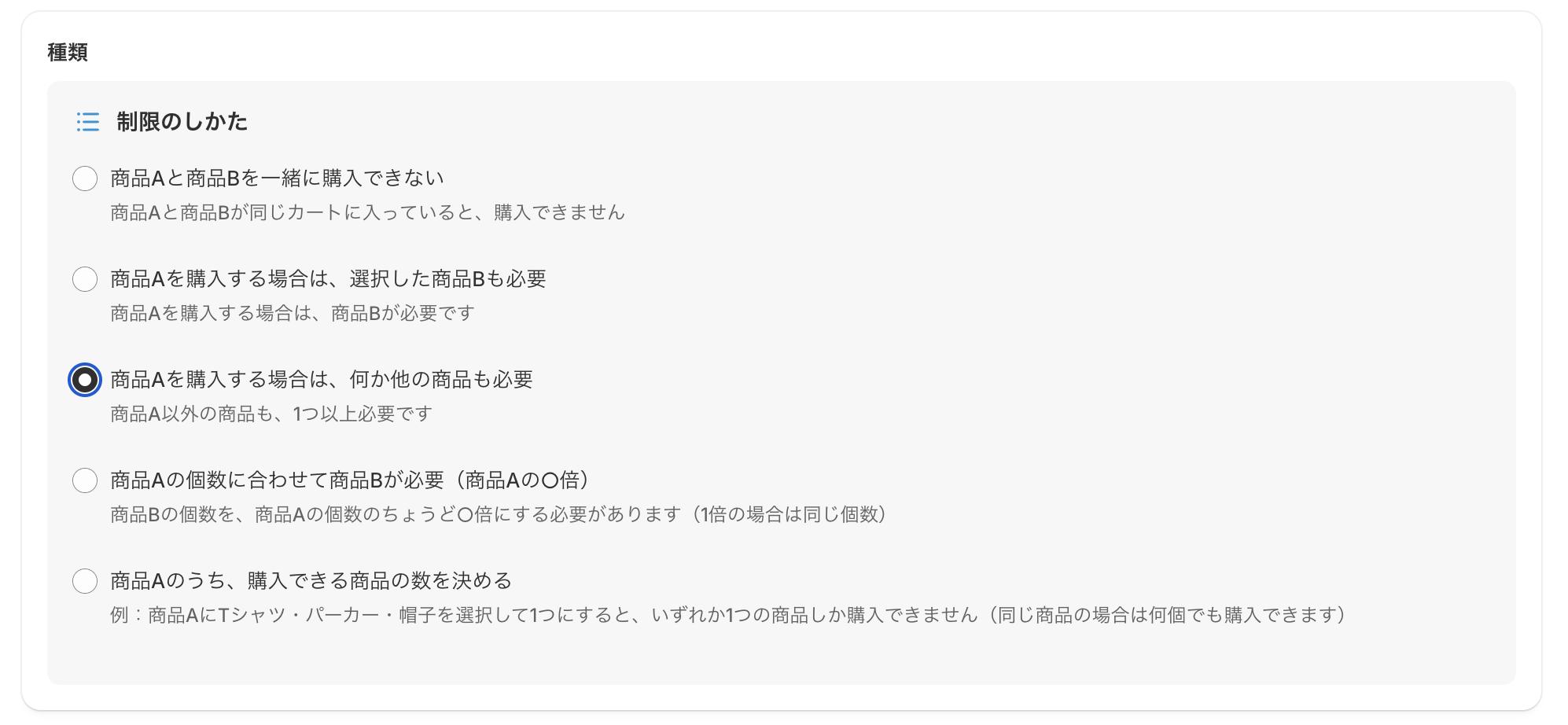
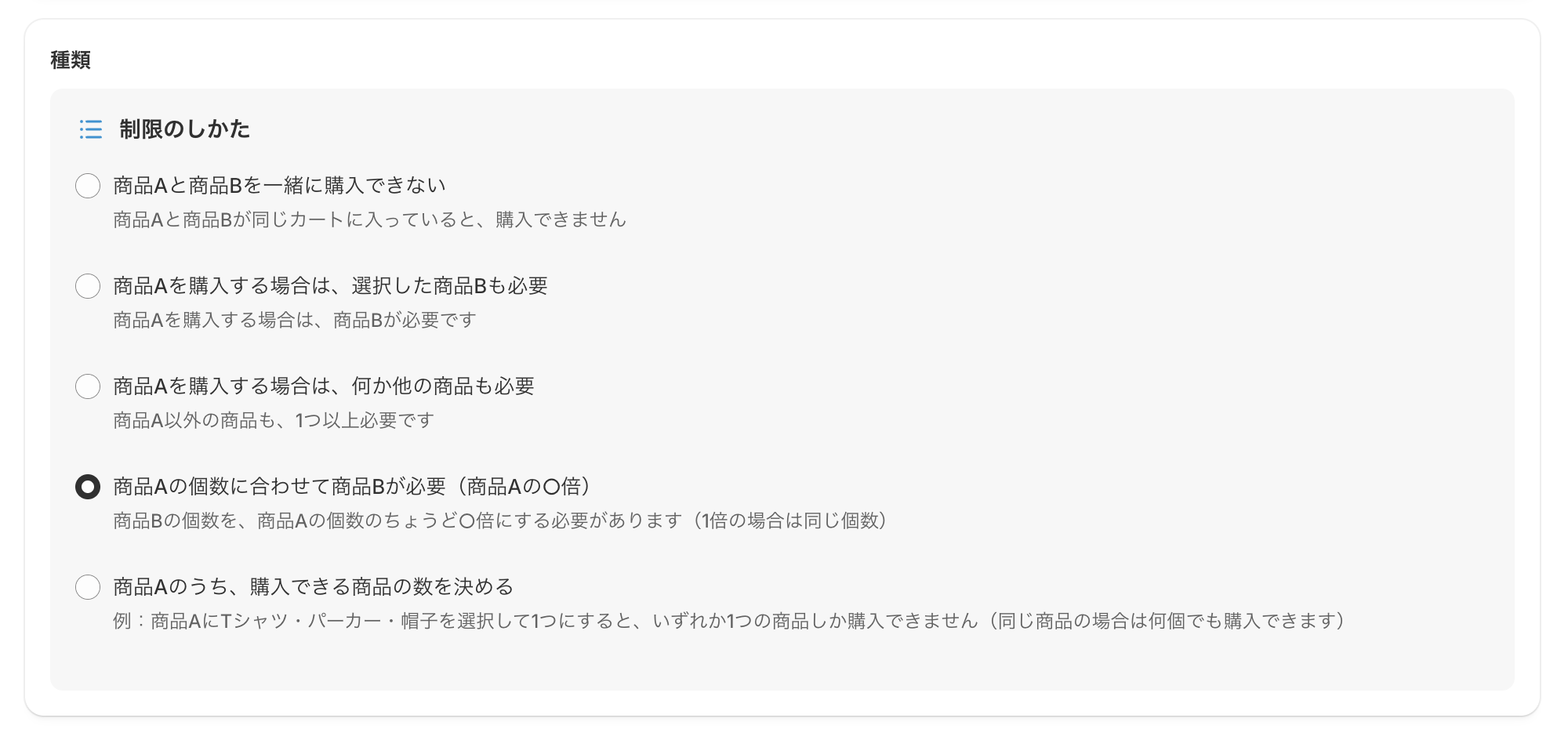
▪️「種類」(Type)
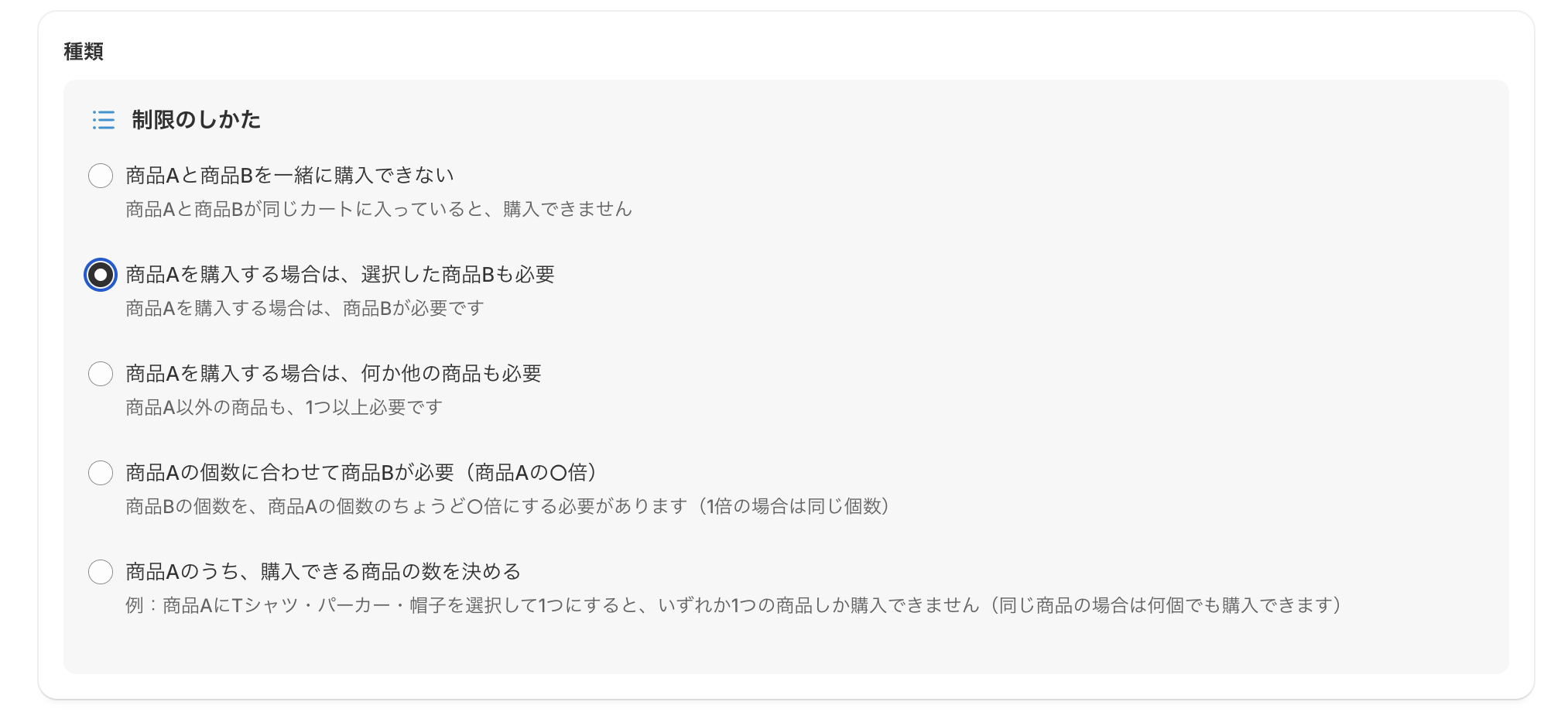
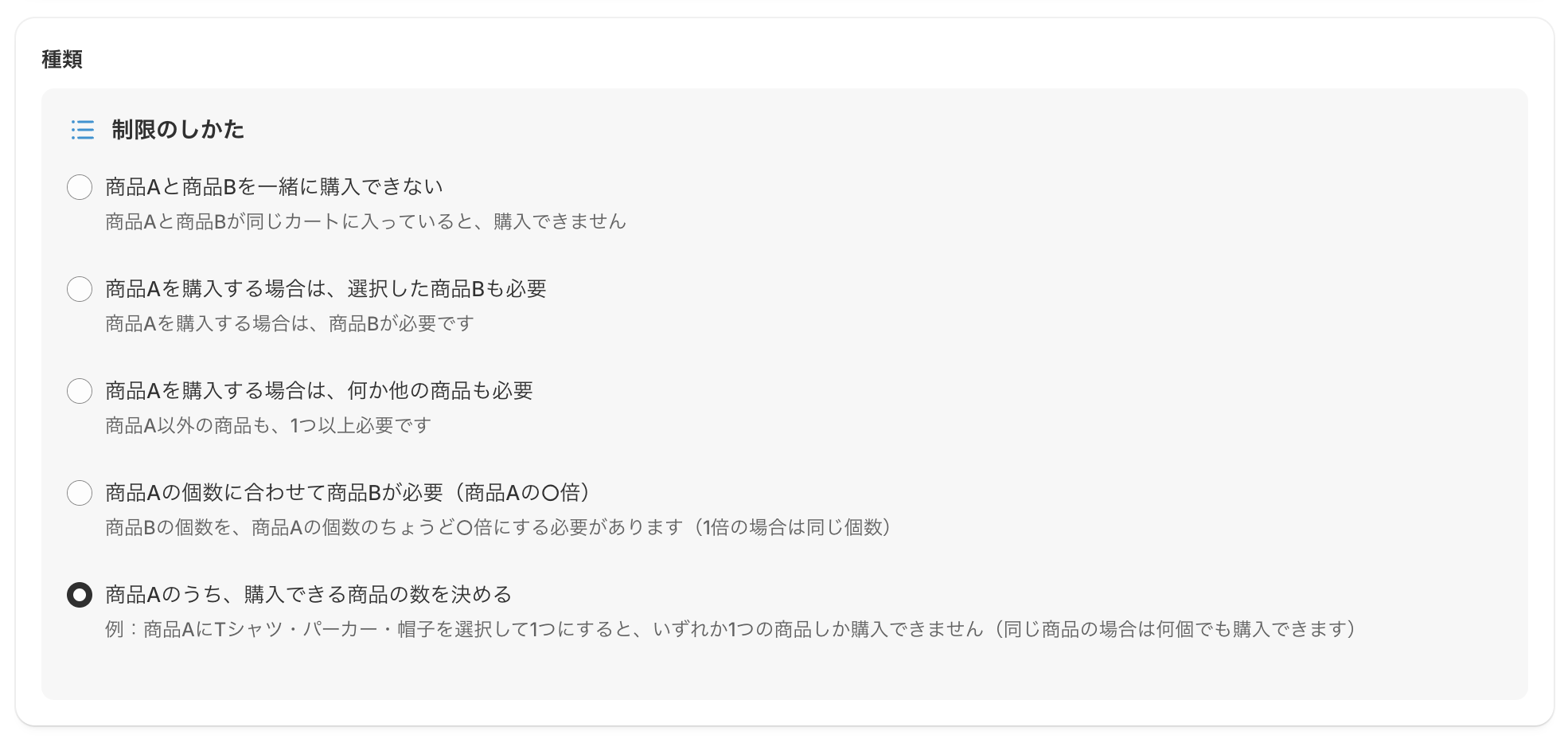
Under 「制限のしかた」(How to limit), choose the type of limit you want to apply.
Each type is explained below.
①「商品Aと商品Bを一緒に購入できない」(Product A and product B cannot be bought together)
②「商品Aを購入する場合は、選択した商品Bも必要」(Buying product A requires one of the selected product B)
③「商品Aを購入する場合は、何か他の商品も必要」(Buying product A requires at least one other product)
④「商品Aの個数に合わせて商品Bが必要(商品Aの○倍)」(Product B is needed in proportion to product A)
⑤「商品Aのうち、購入できる商品の数を決める」(Set how many of product A can be bought)
▪️「ルールを適用外にするカート小計の金額」(Cart subtotal that exempts this rule)

When the rule is not applied
When the cart subtotal is equal to or greater than the amount you set, this rule is not applied.
When the rule is always applied
・When the customer buys in a currency different from your store's currency
・When the field is left blank
[Example]
Amount set: ¥5,000
Case A: The cart subtotal is ¥3,000
Less than ¥5,000 ➔ The rule is applied
Case B: The cart subtotal is exactly ¥5,000
¥5,000 or more ➔ The rule is not applied
Case C: The cart subtotal is ¥8,000
¥5,000 or more ➔ The rule is not applied
Case D: The cart subtotal is ¥8,000, but the customer buys in US dollars
Different currency from the store ➔ The rule is applied
▪️「メッセージ」(Message)
The message you set is shown at the top of the checkout page.
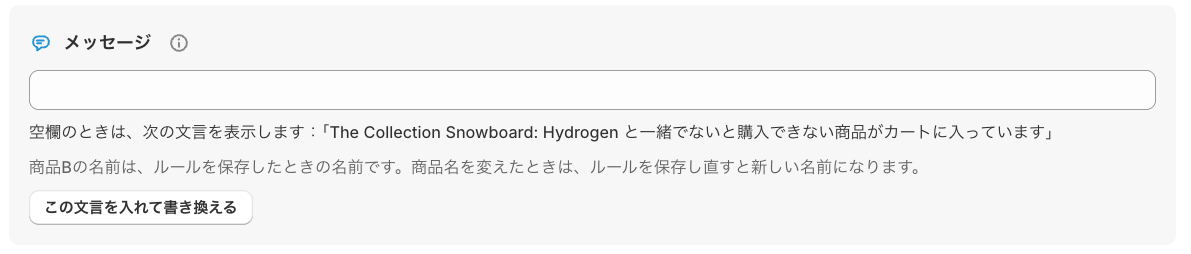
Click 「この文言を入れて書き換える」(Insert this text and edit) to fill in a message that matches the rule.

How it looks to customers
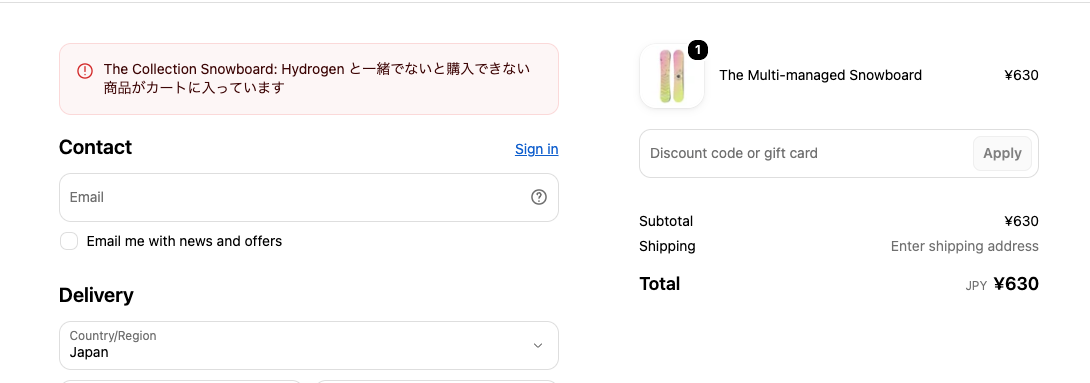
「商品Aと商品Bを一緒に購入できない」(Product A and product B cannot be bought together)
If product A and product B are in the same cart, the customer cannot buy.
[Examples]
・Products stored at different temperatures
"Frozen food (product A)" and "room-temperature snacks (product B)" are shipped differently, so they cannot be bought together in the same cart.
・Products shipped in different ways
"Large furniture shipped directly from the maker (product A)" and "goods shipped normally (product B)" cannot be paid for together.
Under Select products, set the products you want to limit.
▪️「商品を選択」(Select products)
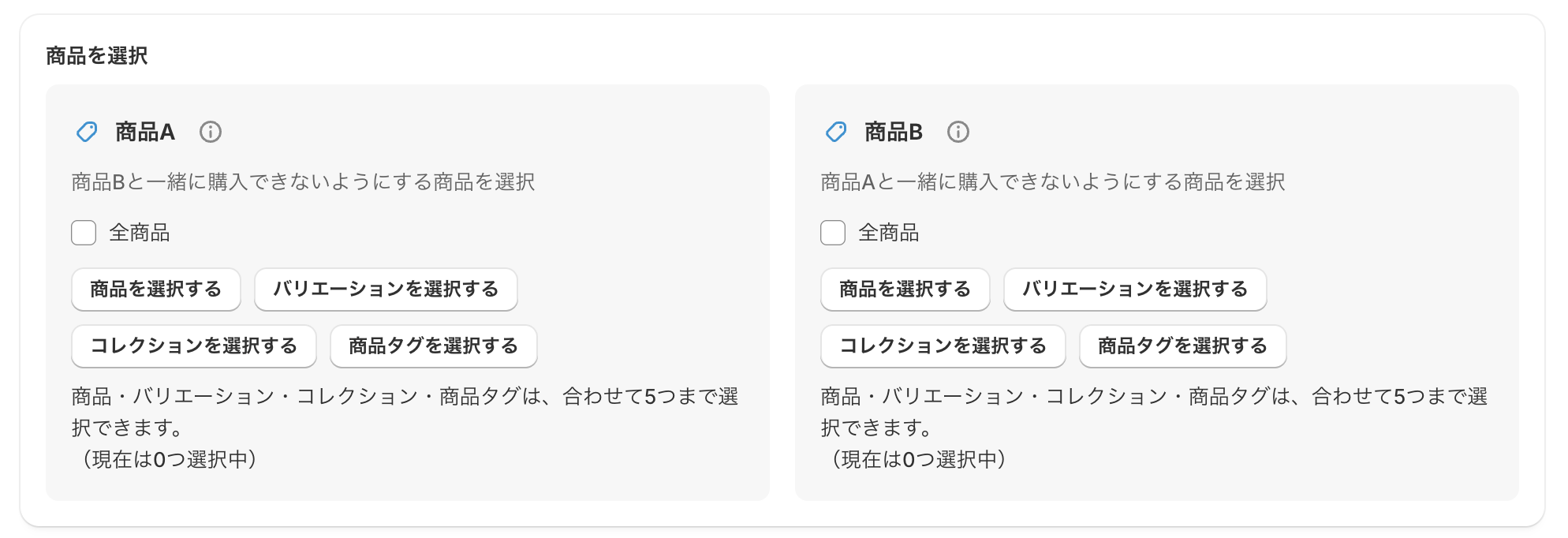
[Product A] 「商品Bと一緒に購入できないようにする商品を選択」(Select products that cannot be bought with product B)
If any product in "product A" and any product in "product B" are in the cart at the same time, the customer cannot buy.
①「全商品」(All products)
②「商品を選択する」(Select products)
③「バリエーションを選択する」(Select variants)
④「コレクションを選択する」(Select collections)
⑤「商品タグを選択する」(Select product tags)
* You can choose up to 5 items in total from ② to ⑤.
[Product B] 「商品Aと一緒に購入できないようにする商品を選択」(Select products that cannot be bought with product A)
Set the products that cannot be put in the cart together with "product A". If a product in "product A" and a product in "product B" are in the cart at the same time, the customer cannot buy.
①「全商品」(All products)
②「商品を選択する」(Select products)
③「バリエーションを選択する」(Select variants)
④「コレクションを選択する」(Select collections)
⑤「商品タグを選択する」(Select product tags)
* You can choose up to 5 items in total from ② to ⑤.
「商品Aを購入する場合は、選択した商品Bも必要」(Buying product A requires one of the selected product B)
To buy product A, product B is also needed.
[Examples]
・Parts or accessories that must be bought as a set
To buy a "main unit (product A)", the customer must also put one of the compatible "special attachments (product B)" in the cart.
・A required gift box
To buy a "gift-only product (product A)", the customer must also select and buy the "specified gift box (product B)".
▪️「商品を選択」(Select products)
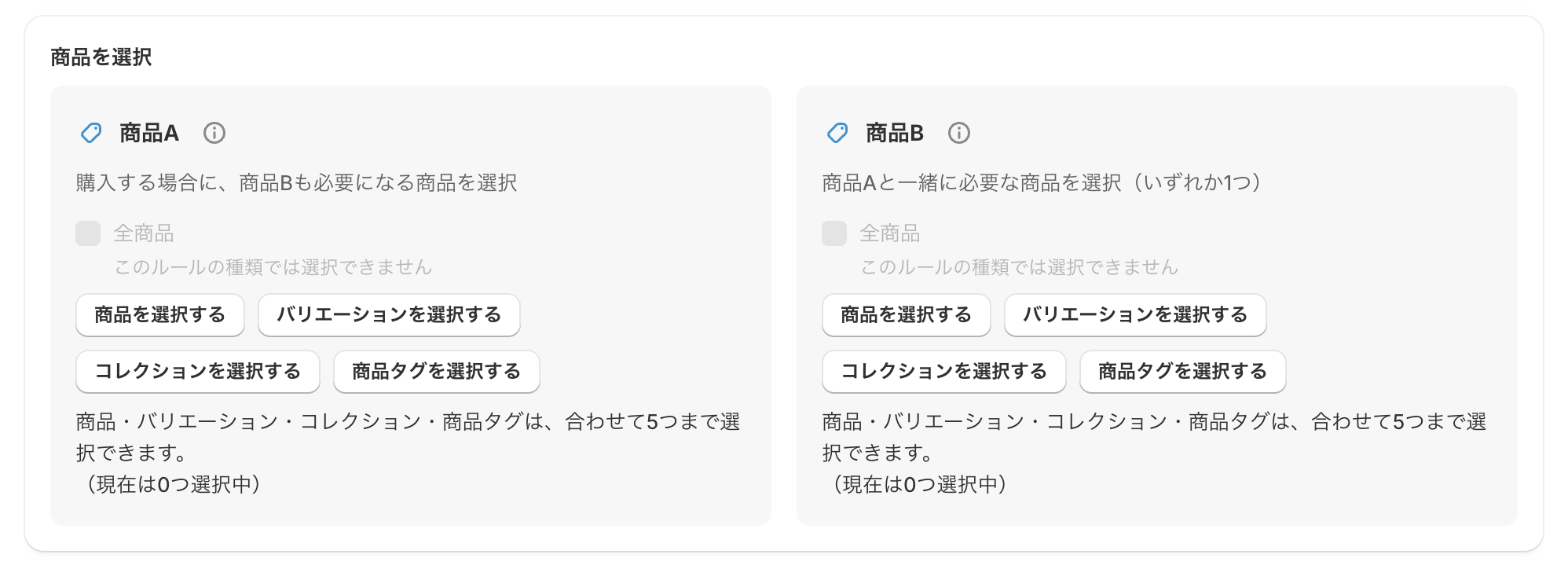
[Product A] 「購入する場合に、商品Bも必要になる商品を選択」(Select products that require product B)
Products that cannot be bought without product B.
①「全商品」(All products)
②「商品を選択する」(Select products)
③「バリエーションを選択する」(Select variants)
④「コレクションを選択する」(Select collections)
⑤「商品タグを選択する」(Select product tags)
* You can choose up to 5 items in total from ② to ⑤.
[Product B] 「商品Aと一緒に必要な商品を選択(いずれか1つ)」(Select products needed with product A — any one of them)
Set the products that must be added to the cart when buying product A. If at least one of the selected product B is in the cart, the customer can buy.
①「全商品」(All products)
②「商品を選択する」(Select products)
③「バリエーションを選択する」(Select variants)
④「コレクションを選択する」(Select collections)
⑤「商品タグを選択する」(Select product tags)
* You can choose up to 5 items in total from ② to ⑤.
▪️「表示を指定」(Display)
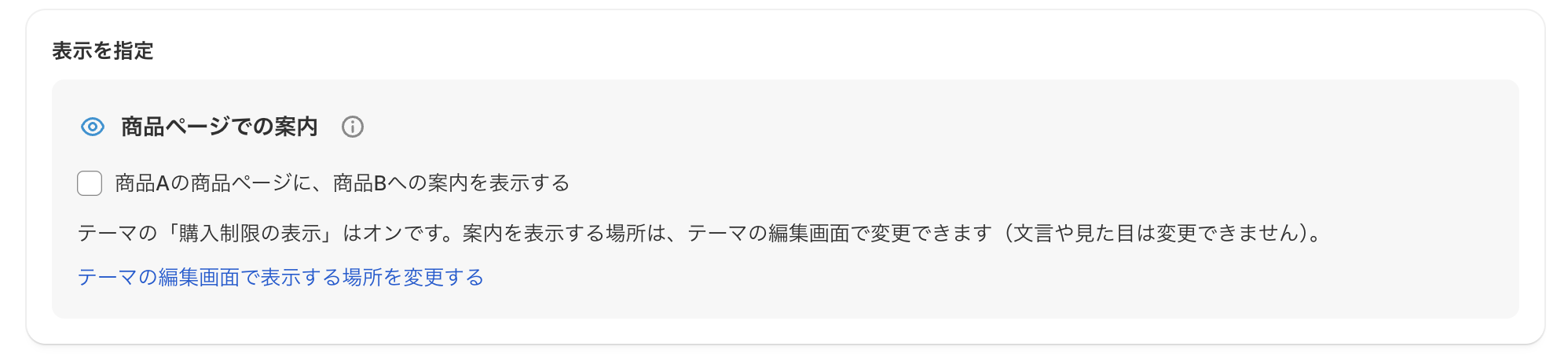
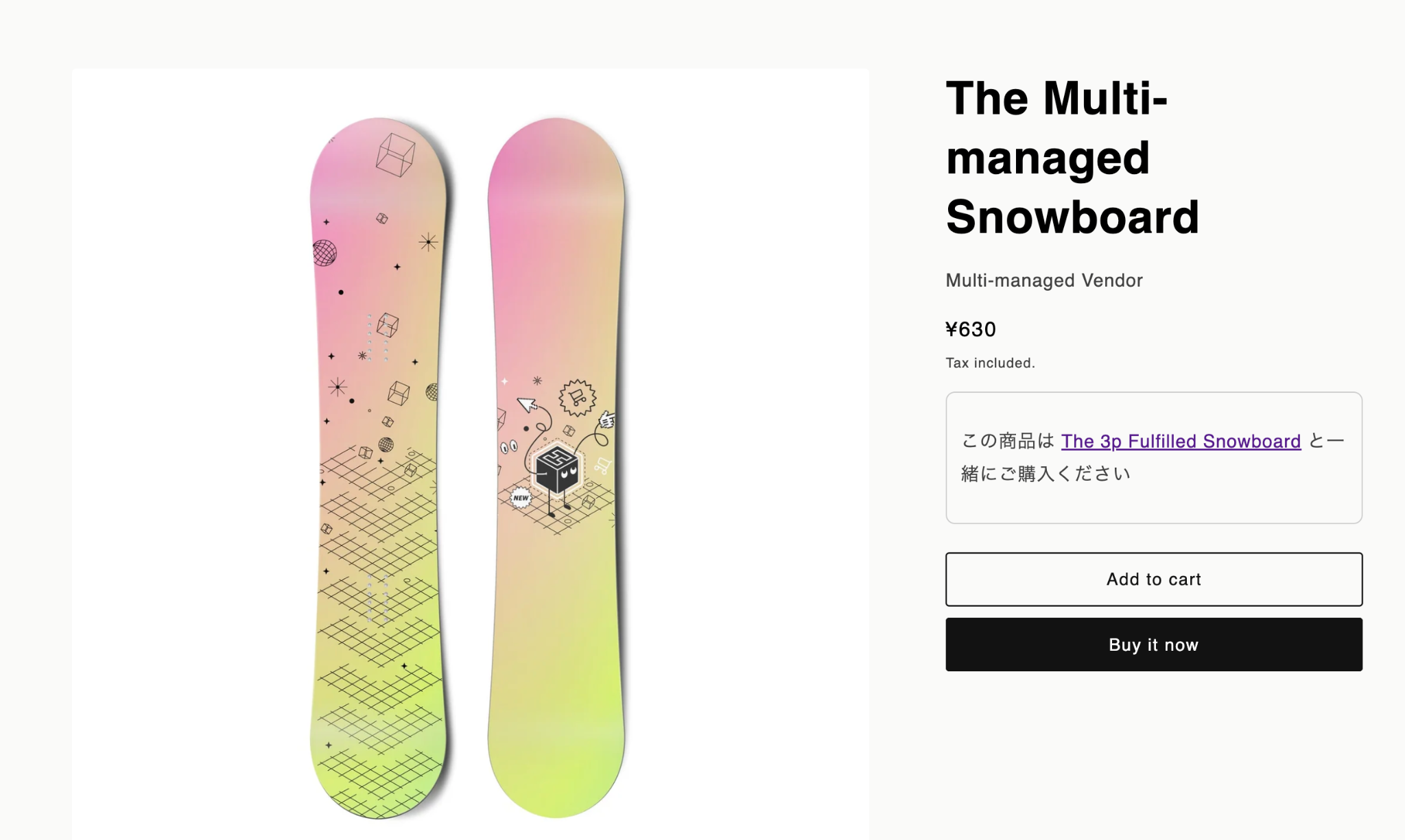
If you check 「商品ページでの案内」(Product page message), a message with a link to product B is shown on product A's product page, guiding customers to buy them together.
When 「購入制限の表示」(Purchase limit display) is off in your theme
If it is turned off in the theme editor, the following notice is shown.
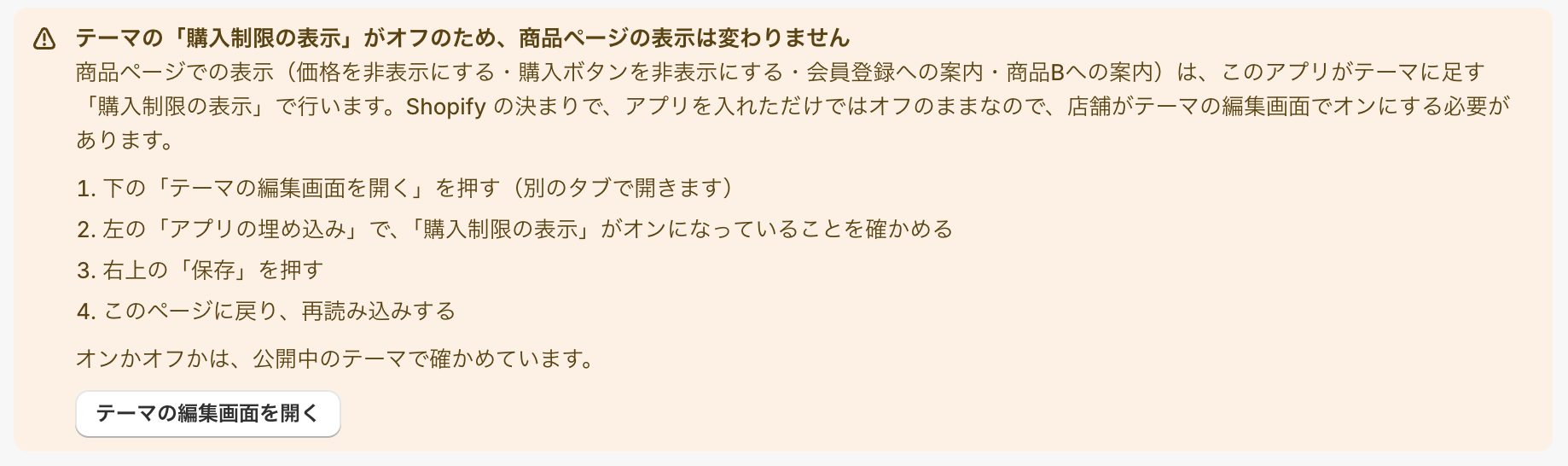
Click 「テーマの編集画面を開く」(Open theme editor). The theme editor opens in a new tab.
In the theme editor, make sure 「購入制限の表示」 is turned on in the left panel, and then click Save.
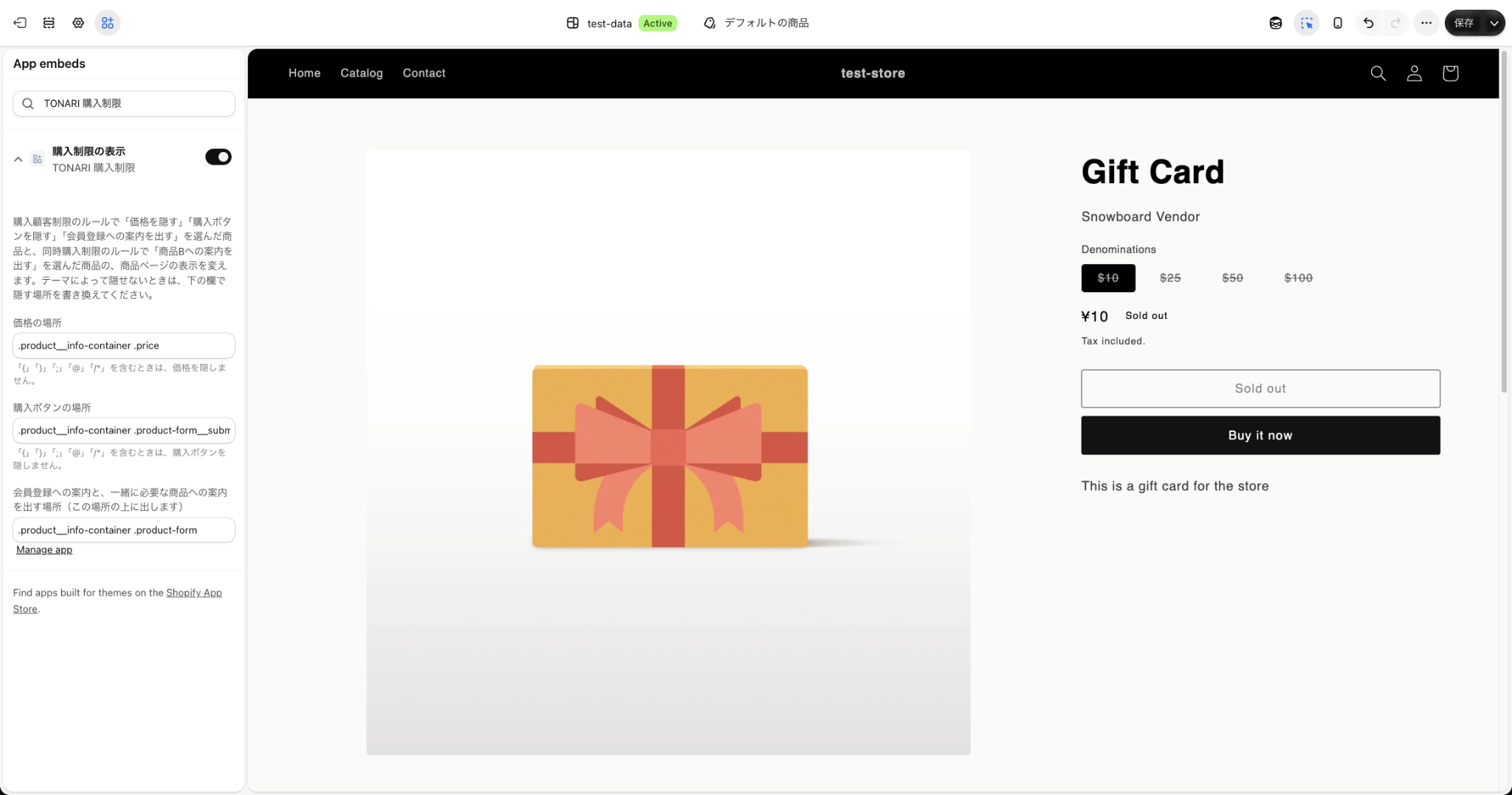
After saving, go back to the rule page.
Save the settings you have entered, and then reload the page.
After reloading, the notice disappears and 「テーマの「購入制限の表示」はオンです。」(Purchase limit display is on) is shown.
「商品Aを購入する場合は、何か他の商品も必要」(Buying product A requires at least one other product)
At least one product other than product A is also needed.
[Examples]
・Add-on products only sold with other purchases
"Discounted gift wrapping (product A)" or "sample products (product A)" cannot be bought alone. At least one regular product must be bought with them.
・Extra parts that cannot be bought alone
"Replacement filters (product A)" are not shipped alone and must be bought with another product.
▪️「商品を選択」(Select products)
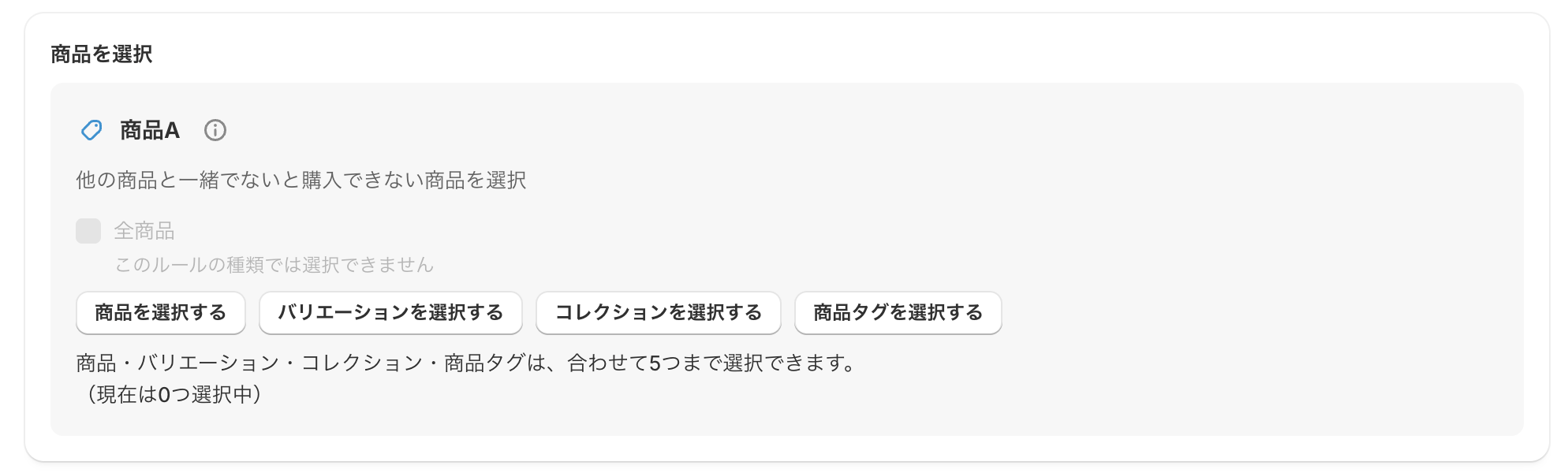
[Product A] 「他の商品と一緒でないと購入できない商品を選択」(Select products that cannot be bought without other products)
Products that must be bought with other products. If the cart contains only the products selected as "product A", the customer cannot buy.
①「商品を選択する」(Select products)
②「バリエーションを選択する」(Select variants)
③「コレクションを選択する」(Select collections)
④「商品タグを選択する」(Select product tags)
* You can choose up to 5 items in total from ① to ④.
▪️「表示を指定」(Display)
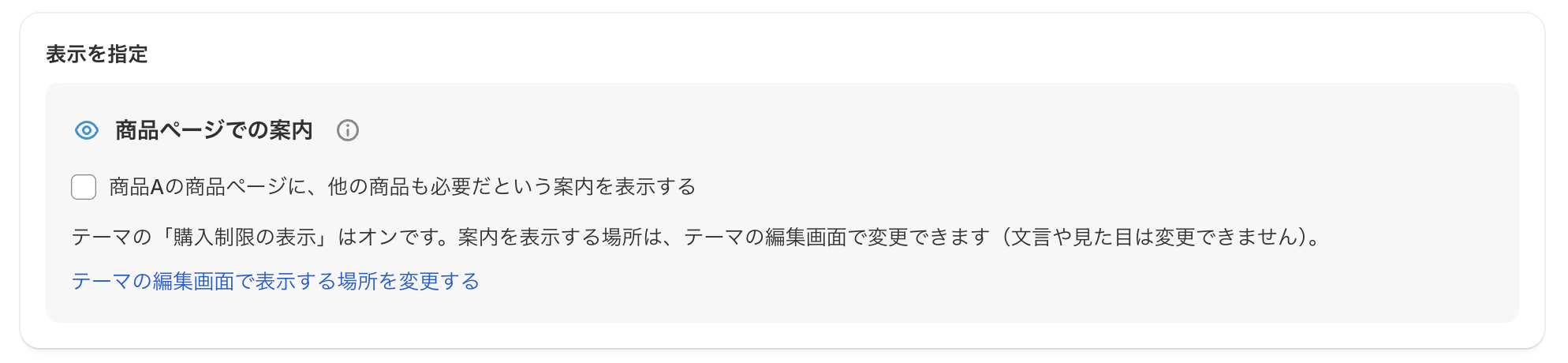
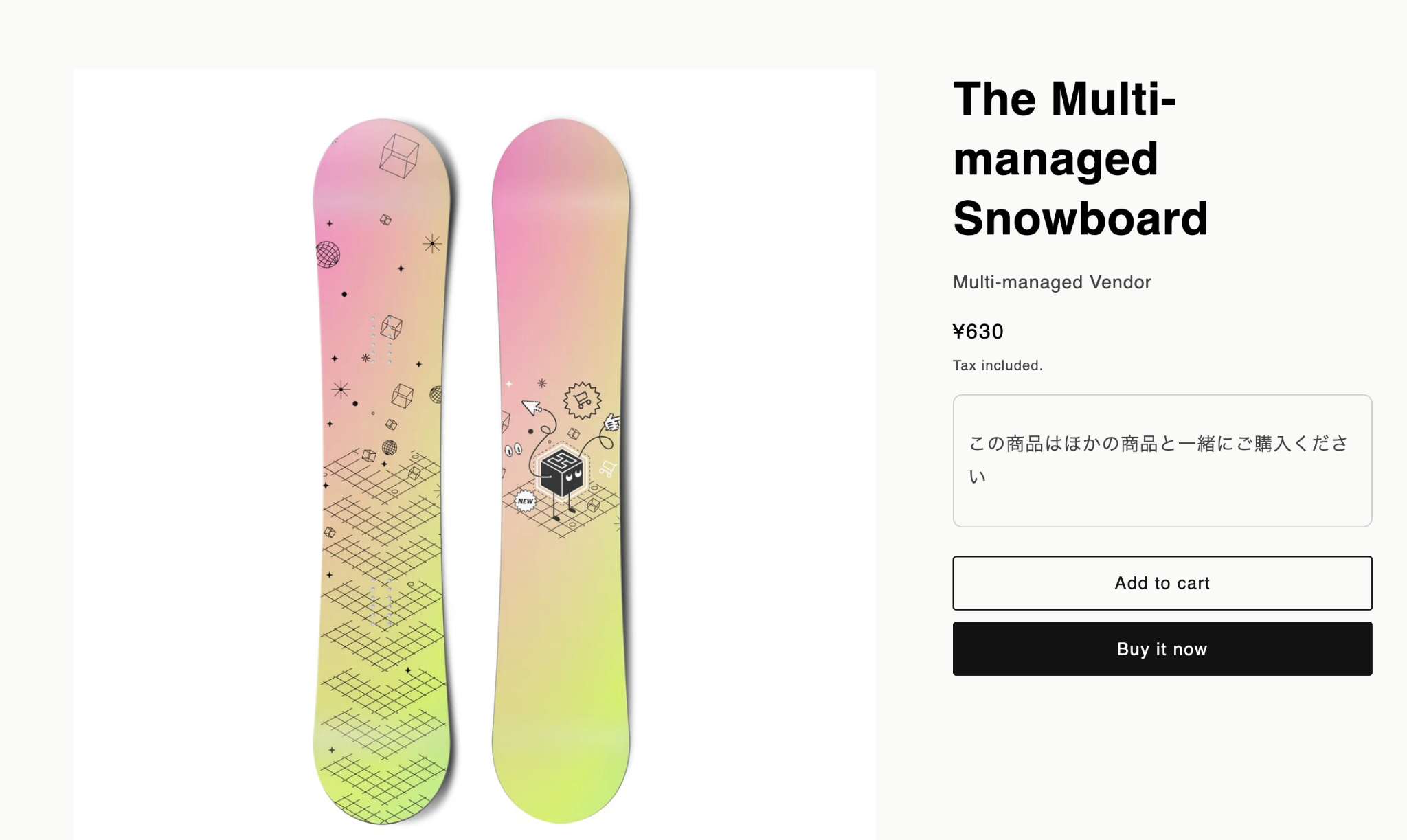
If you check 「商品ページでの案内」(Product page message), the message "この商品は他の商品と一緒にご購入ください" (Please buy this product together with other products) is shown on product A's product page.
When 「購入制限の表示」(Purchase limit display) is off in your theme
If it is turned off in the theme editor, the following notice is shown.
Click 「テーマの編集画面を開く」(Open theme editor). The theme editor opens in a new tab.
In the theme editor, make sure 「購入制限の表示」 is turned on in the left panel, and then click Save.
After saving, go back to the rule page.
Save the settings you have entered, and then reload the page.
After reloading, the notice disappears and 「テーマの「購入制限の表示」はオンです。」(Purchase limit display is on) is shown.
「商品Aの個数に合わせて商品Bが必要(商品Aの○倍)」(Product B is needed in proportion to product A)
The quantity of product B must be exactly ○ times the quantity of product A (1 times means the same quantity).
[Examples]
・A main product and its case in the same quantity (1 times)
To buy 3 "glasses (product A)", the customer must also put the same "3" protective "wooden boxes (product B)" in the cart.
・Parts needed 2 per set (2 times)
To buy 1 "table leg set (product A)", the customer must buy exactly twice as many "mounting brackets (product B)", that is, "2".
▪️「商品を選択」(Select products)
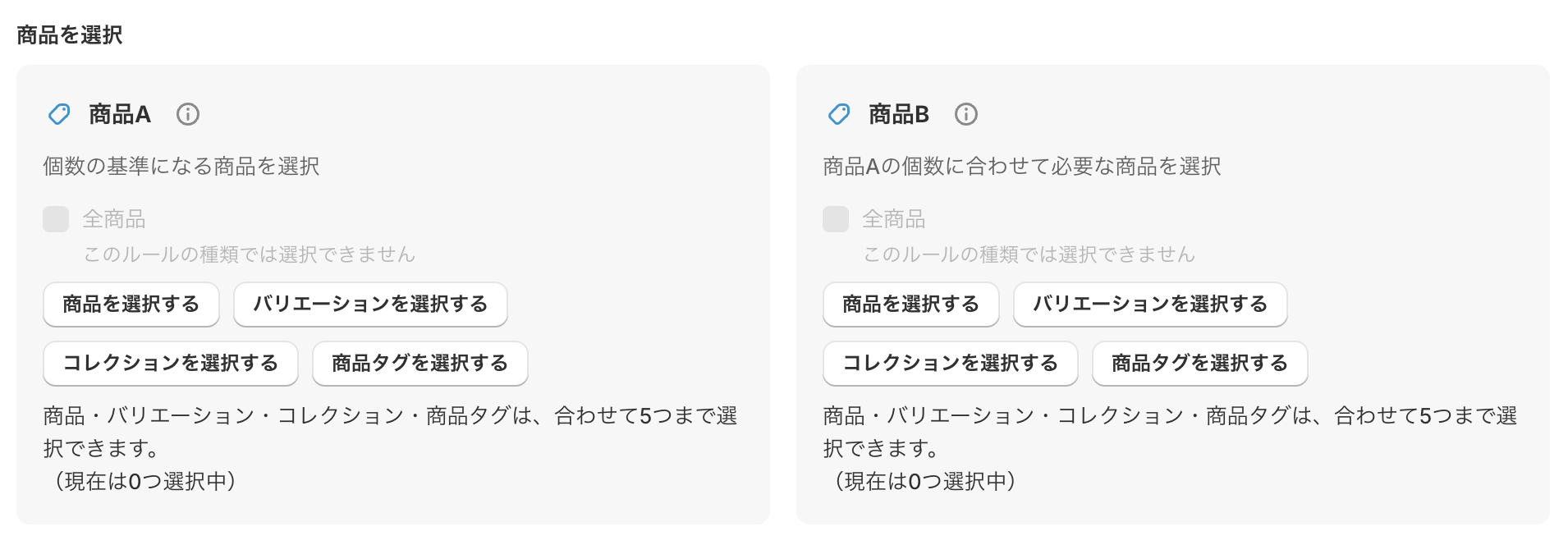
[Product A] 「個数の基準になる商品を選択」(Select the products used as the base quantity)
Set the products used as the base for the limit. The total quantity of the selected products is counted.
①「商品を選択する」(Select products)
②「バリエーションを選択する」(Select variants)
③「コレクションを選択する」(Select collections)
④「商品タグを選択する」(Select product tags)
* You can choose up to 5 items in total from ① to ④.
[Product B] 「商品Aの個数に合わせて必要な商品を選択」(Select the products needed in proportion to product A)
Set the products that must be bought according to the quantity of product A. The total quantity of the selected products is counted.
①「商品を選択する」(Select products)
②「バリエーションを選択する」(Select variants)
③「コレクションを選択する」(Select collections)
④「商品タグを選択する」(Select product tags)
* You can choose up to 5 items in total from ① to ④.
▪️「商品A 1個あたりの商品Bの個数」(Quantity of product B per product A)
Set the ratio (multiple) of product B needed for the quantity of product A.
The customer cannot buy unless the total quantity of product B is exactly "the total quantity of product A × this value".

Examples
・When set to "1": product A and product B must be in exactly the same quantity.
(Example: if A is 2, B must also be 2)
・When set to "2": product B is needed in twice the quantity of product A.
(Example: if A is 2, B must be 4)
How it is checked
If product A is not in the cart, the limit is not checked (the customer can buy as usual).
「商品Aのうち、購入できる商品の数を決める」(Set how many of product A can be bought)
Example: if you select a T-shirt, a hoodie, and a cap as product A and set it to 1, only one of these products can be bought (any number of the same product can be bought).
[Examples]
・Limiting popular products (example: up to 3 products)
From the "new limited T-shirt, hoodie, cap, and tote bag (product A)", up to "3 products" can be bought in one order. Color and size variations of the same product count as one product, so a black T-shirt and a white T-shirt together count as one product.
・Limiting items in a trial set
From the "aroma oils (each scent sold as a separate product, product A)", up to "2 products" can be bought together in one order.
▪️「商品を選択」(Select products)
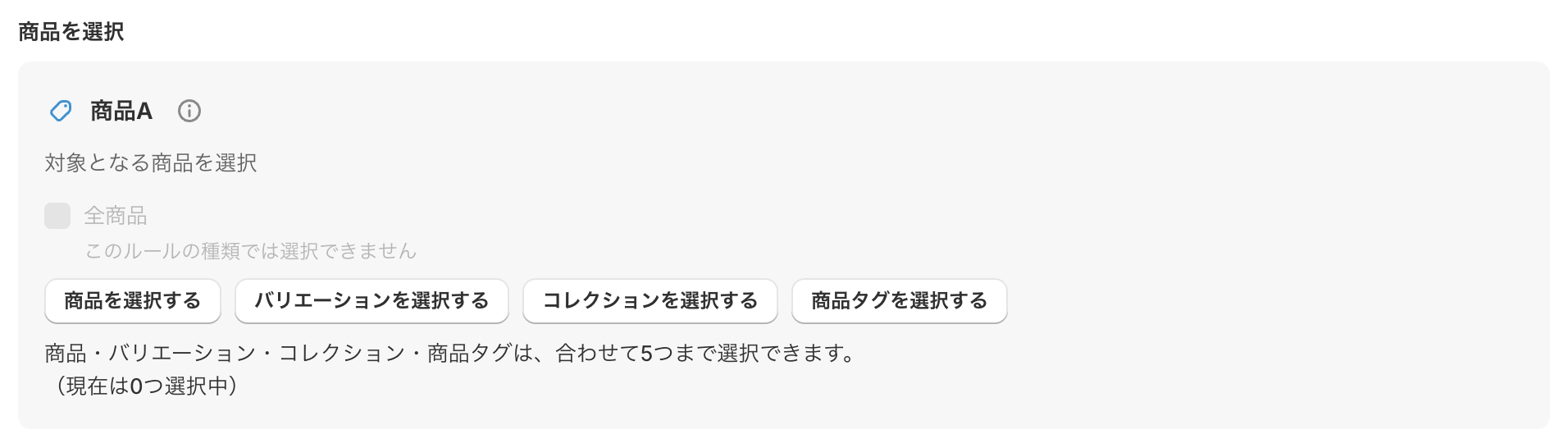
[Product A] 「対象となる商品を選択」(Select the target products)
Use this to set a maximum on "the number of products" that can be bought together from the selected group of products.
①「商品を選択する」(Select products)
②「バリエーションを選択する」(Select variants)
③「コレクションを選択する」(Select collections)
④「商品タグを選択する」(Select product tags)
* You can choose up to 5 items in total from ① to ④.
▪️「購入できる商品の数」(Number of products that can be bought)
Set the maximum "number of products" from the selected product A that can be in the cart at the same time.

Examples
・When set to "1": only one of the target products can be bought (combinations of products are not allowed).
・When set to "2": up to 2 of the target products can be bought together.
How products are counted
Variations of the same product (size, color, and so on) are counted together as "one product". The quantity is not counted, so any number of the same product can be bought.