Order limits (注文全体の制限)
Set the maximum and minimum of the total item count, total amount, and total weight per order.
These are counted for the whole order, not per product. Orders over the maximum or under the minimum cannot be completed at checkout. Fields left blank are not limited.
「合計点数」(Total item count)
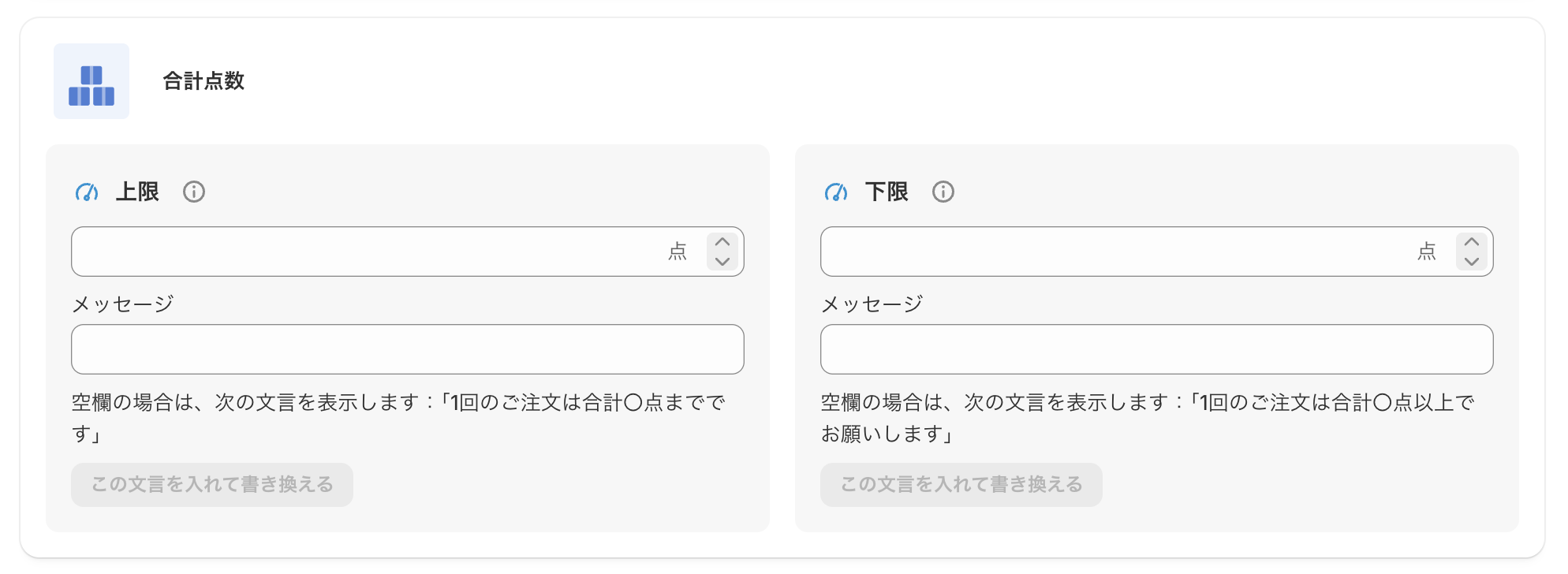
Maximum item count
Set the maximum number of items that can be bought in one order. (Example: enter 3 for up to 3 items)
Error message when over the maximum
Enter the message shown on the checkout page when the maximum is exceeded.
Example: "You can buy up to 3 items at a time."
Minimum item count
Set the minimum number of items needed in one order. (Example: enter 2 for 2 items or more)
Error message when under the minimum
Enter the message shown on the checkout page when the minimum is not met.
Example: "Please choose 2 or more items to order."
「合計金額」(Total amount)
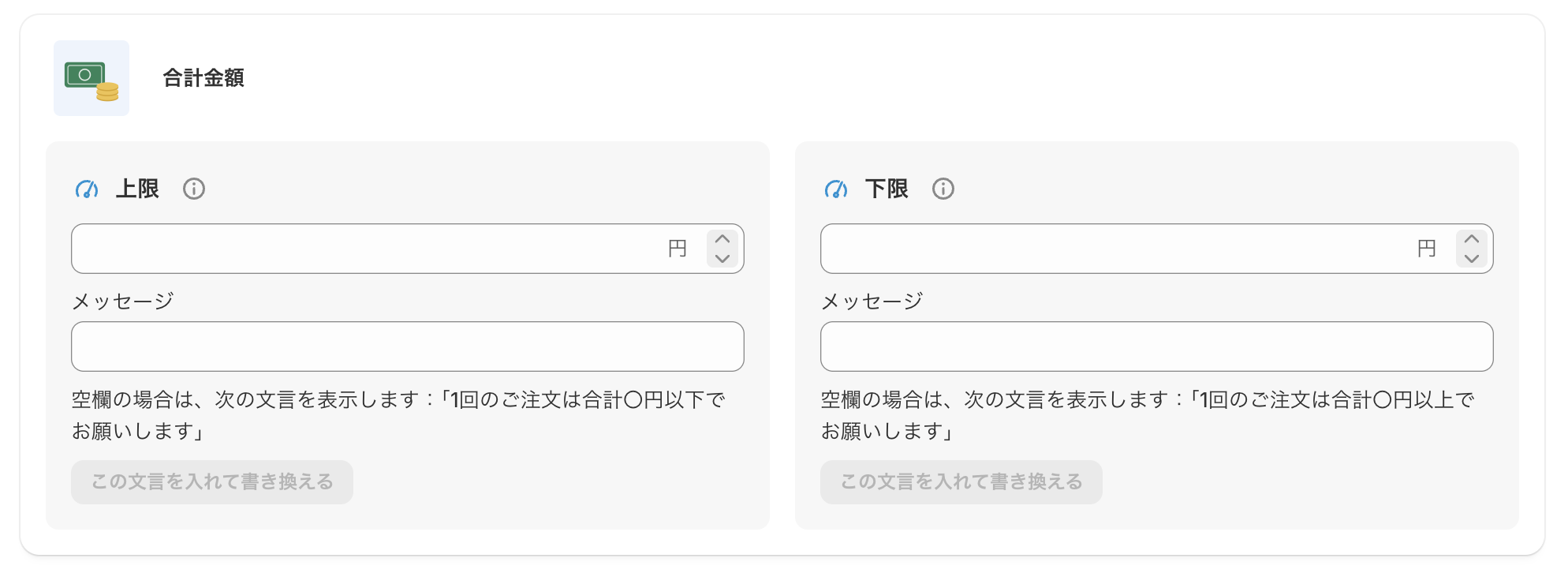
Maximum amount
Set the maximum amount that can be bought in one order. (Example: enter 30000 for up to ¥30,000)
Error message when over the maximum
Enter the message shown on the checkout page when the maximum is exceeded.
Example: "You can buy up to ¥30,000 at a time."
Minimum amount
Set the minimum amount needed in one order. (Example: enter 3000 for ¥3,000 or more)
Error message when under the minimum
Enter the message shown on the checkout page when the minimum is not met.
Example: "Please order ¥3,000 or more."
「合計重量」(Total weight)
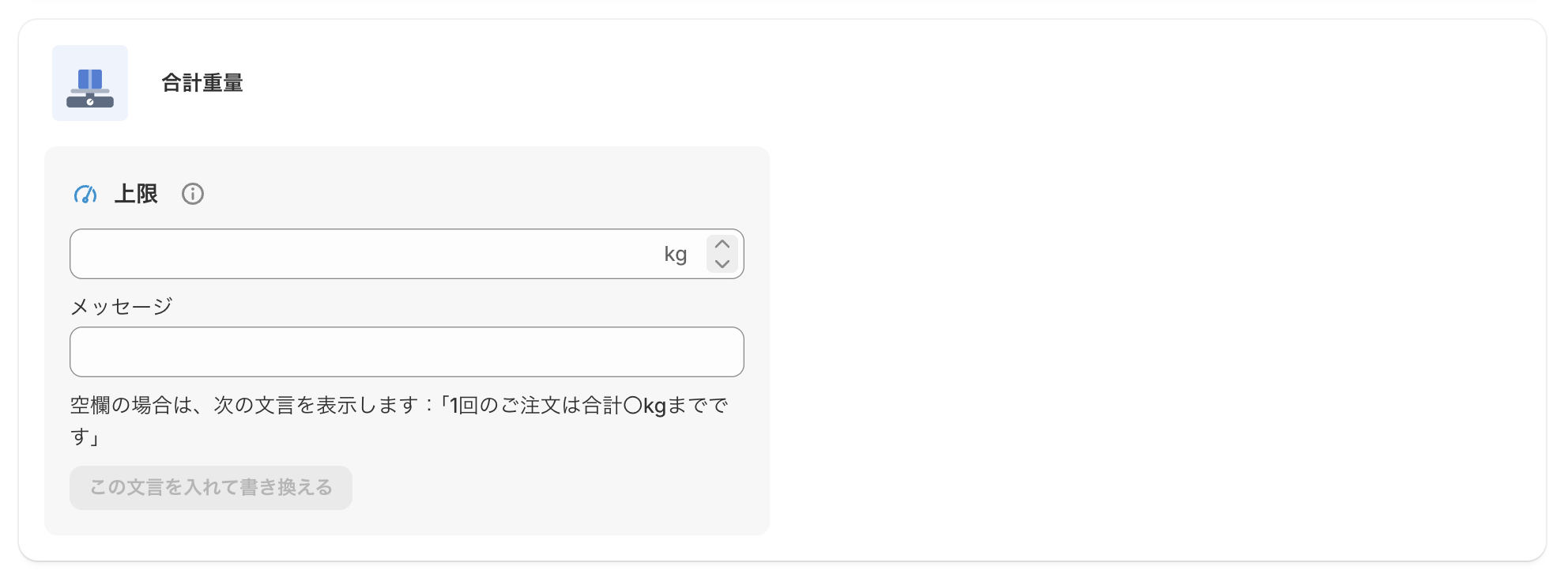
Maximum weight
Set the maximum weight that can be bought in one order. The unit is your store's weight unit (shown to the right of the field). (Example: in a store that uses kg, enter 5 for up to 5 kg)
Error message when over the maximum
Enter the message shown on the checkout page when the maximum is exceeded.
Example: "The total weight per order is limited to 5 kg."