Testing rules
① When you change the rule status to 「テスト」(Test), the message 「テスト用の顧客タグが決まっていません。 顧客タグを決める」(No test customer tag is set. Choose a customer tag) is shown below the status field.
* If a test customer tag is already set, 「顧客タグ「〇〇」を持つお客様にだけ適用します。 テスト用の顧客タグを変更する」(Applies only to customers with the tag 〇〇. Change the test customer tag) is shown.

② Click 「顧客タグを決める」(Choose a customer tag). The 「テスト用の顧客タグを決める」(Choose a test customer tag) window opens without leaving the page.
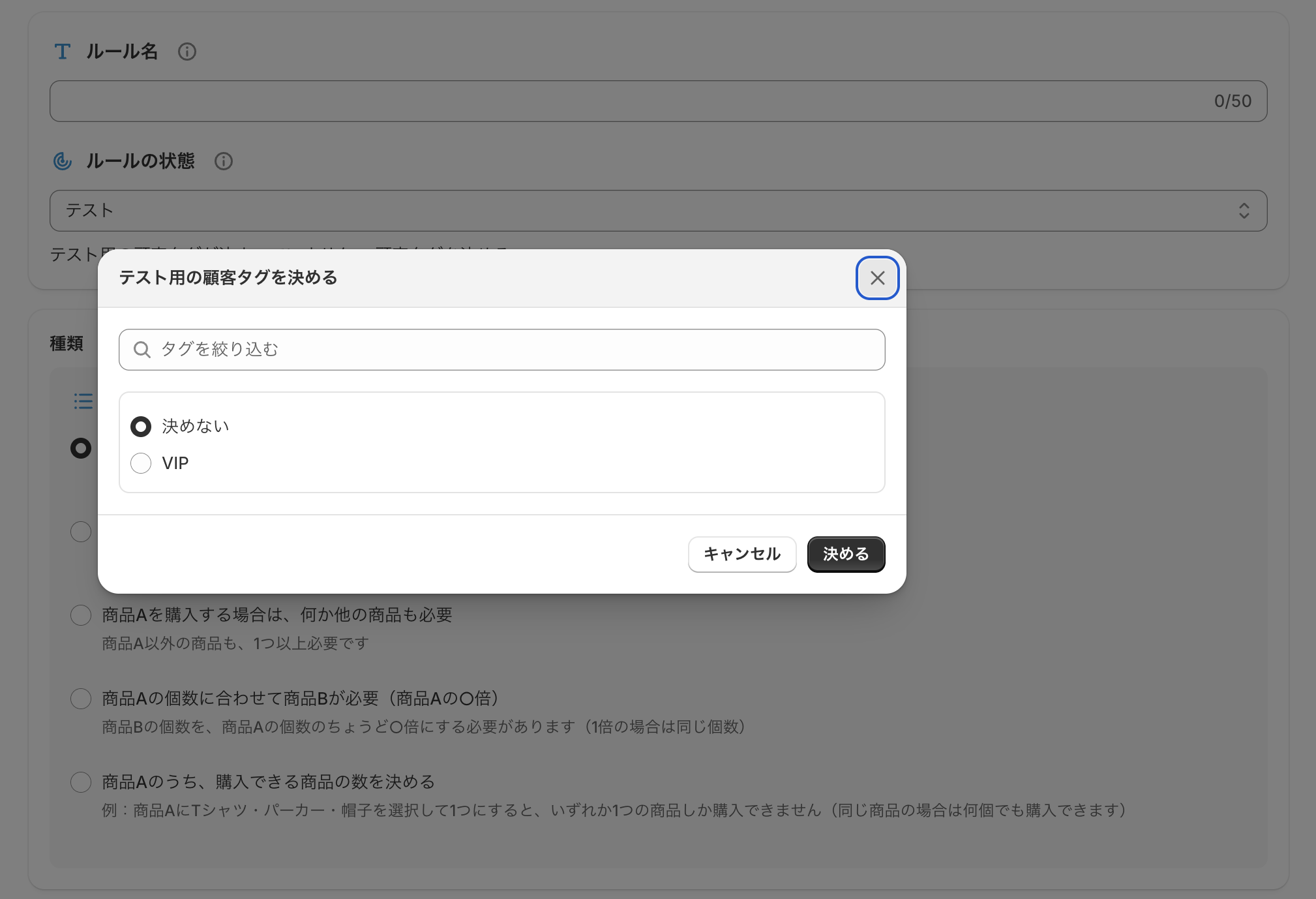
③ Select a test customer tag (the tag you add to the account you use for testing), and click 「決める」 (Choose).
The tag is saved right away. The rule you are editing is kept as it is.
* The list shows the tags already registered in your store's customers. (Example: VIP)
How to add a customer tag: In the Shopify admin, go to Customers > customer details > Tags to create and add a new tag.