Quantity limits (購入数制限)
You can set how many items can be bought in one order (maximum, minimum, and unit). You can choose whether the limit applies to "each product" or to "the total quantity of the selected products".
How to create
1. Click the 「作成する」(Create) button.

2. After clicking the button, the following page opens.
You can set up the rule on this page.
▪️「ルール名」(Rule name)

A name that helps you tell rules apart. It is optional and can be up to 50 characters.
When you give a rule a name, the name is shown in the rule list and on the reordering page, and it becomes the heading of the rule's detail page.
The rule name is not used for checking orders, so changing it does not change how checkout works or which message is shown.
▪️「ルールの状態」(Rule status)
You can switch the rule status between the following three options.

①「有効」(Active)
The rule is applied to your store right away. Choose this for normal use.
②「無効」(Inactive)
The rule is turned off for now. Use this when you want to stop a rule without deleting its settings.
③「テスト」(Test)
Choose this when you want to check how a rule works without affecting your customers.
See how to test rules
▪️「商品の数え方」(How to count products)
There are two ways: count each product separately, or count the selected products together.
①「商品1つずつ数える」(Count each product separately)
②「選択した商品をまとめて数える」(Count the selected products together)
▪️「ルールを適用外にする顧客タグ」(Customer tags exempt from this rule)
Customers who have at least one of the selected tags are exempt from this rule.
Customers who are not logged in are still limited, because their tags cannot be identified.
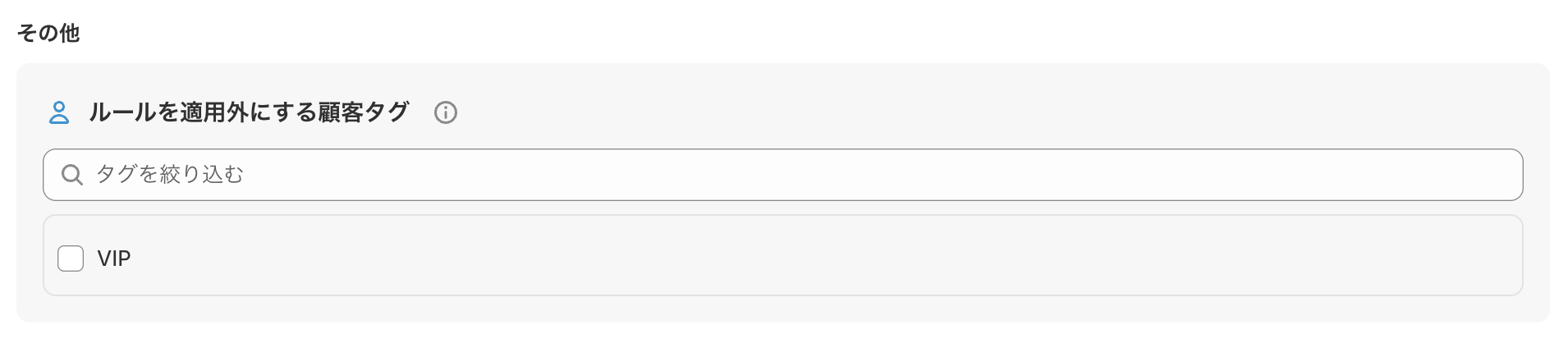
To set different maximums by customer tag
For example, to set a different maximum by membership level, such as "up to 2 for regular members and up to 10 for VIP members", create two rules.
[Rule 1] Maximum 2 / Customer tags exempt from this rule: VIP
[Rule 2] Maximum 10 / No tags
VIP members are exempt from Rule 1, so only Rule 2 (up to 10) applies to them.
▪️「ルールを適用外にするカート小計の金額」(Cart subtotal that exempts this rule)

When the rule is not applied
When the cart subtotal is equal to or greater than the amount you set, this rule is not applied.
When the rule is always applied
・When the customer buys in a currency different from your store's currency
・When the field is left blank
[Example]
Amount set: ¥5,000
Case A: The cart subtotal is ¥3,000
Less than ¥5,000 ➔ The rule is applied
Case B: The cart subtotal is exactly ¥5,000
¥5,000 or more ➔ The rule is not applied
Case C: The cart subtotal is ¥8,000
¥5,000 or more ➔ The rule is not applied
Case D: The cart subtotal is ¥8,000, but the customer buys in US dollars
Different currency from the store ➔ The rule is applied
▪️「メッセージ」(Message)
The message you set is shown at the top of the checkout page.
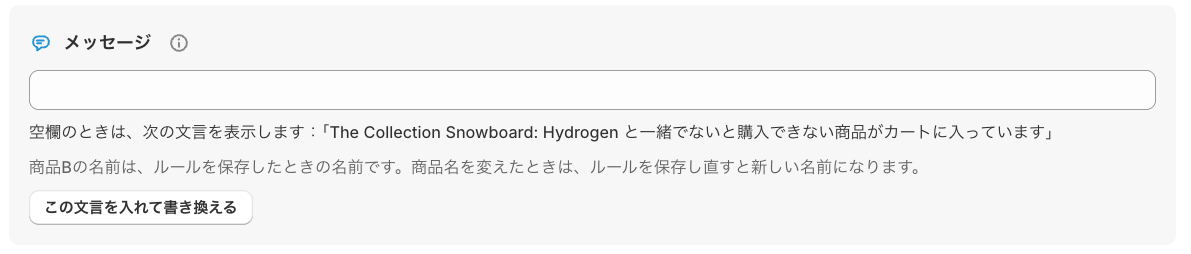
Click 「この文言を入れて書き換える」(Insert this text and edit) to fill in a message that matches the rule.

How it looks to customers
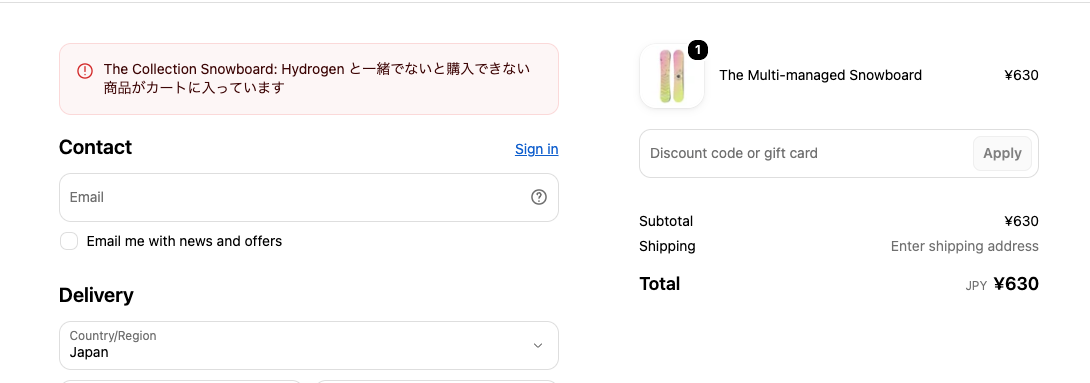
「商品1つずつ数える」(Count each product separately)
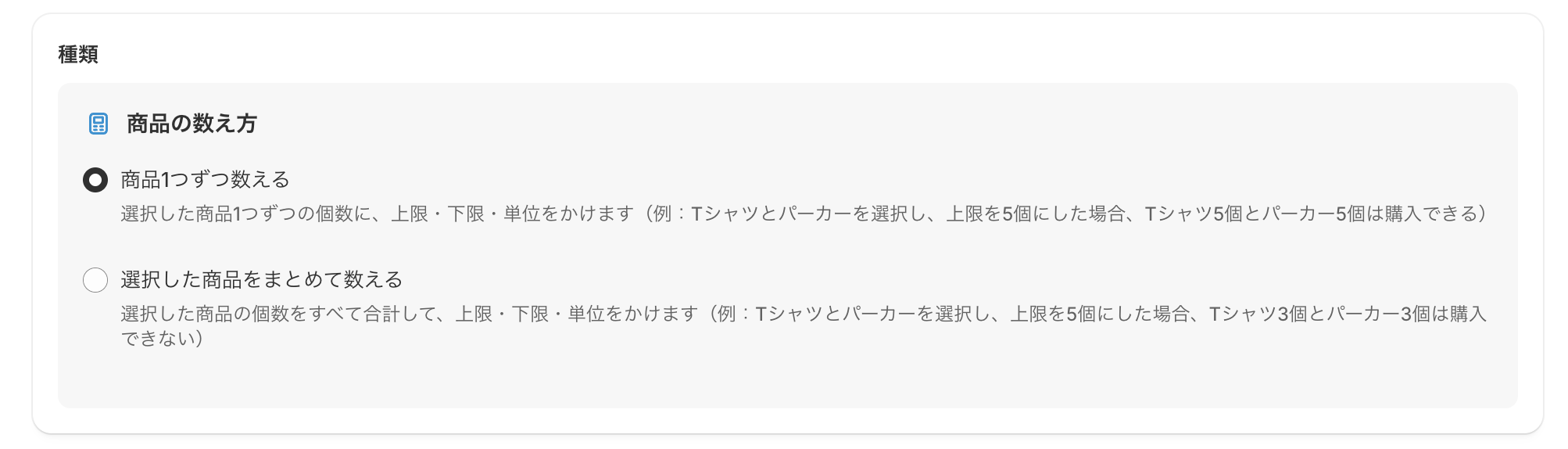
The maximum, minimum, and unit apply to the quantity of each selected product (example: if you select a T-shirt and a hoodie and set the maximum to 5, the customer can buy 5 T-shirts and 5 hoodies).
▪️「商品を選択」(Select products)
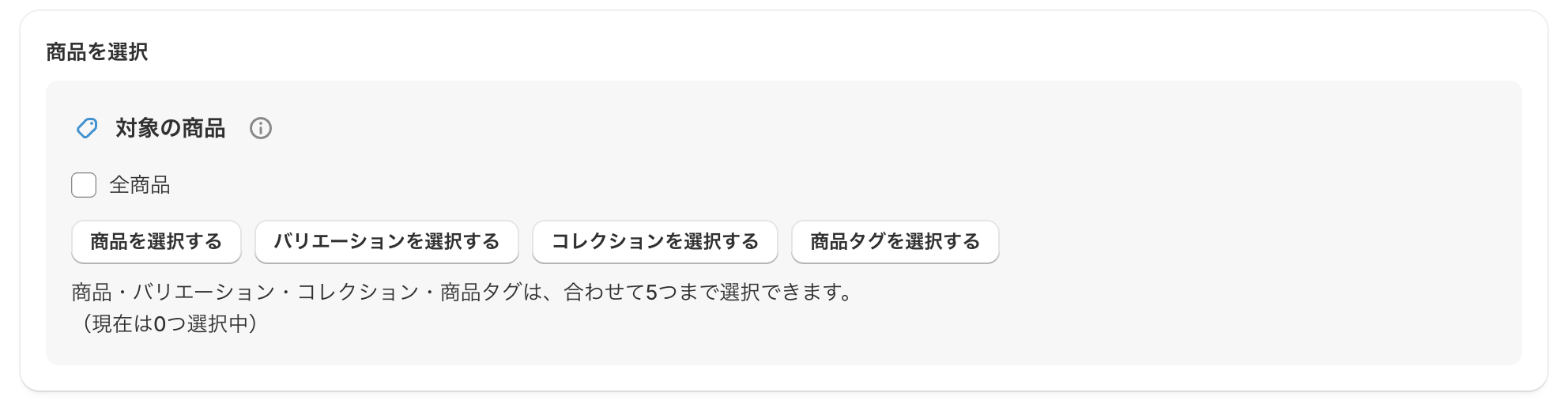
「対象の商品」(Target products)
Set the products whose quantity per order (maximum and minimum) is limited.
How it is checked
・Each selected product is checked separately (whether it is over the maximum or meets the minimum).
・If you select variants, each variant is counted separately.
About 「全商品」(All products)
・The quantity limit applies separately to every product in the cart.
When rules overlap
・If several rules apply to the same product, the smallest maximum (the strictest limit) takes priority.
①「全商品」(All products)
②「商品を選択する」(Select products)
③「バリエーションを選択する」(Select variants)
④「コレクションを選択する」(Select collections)
⑤「商品タグを選択する」(Select product tags)
* You can choose up to 5 items in total from ② to ⑤.
▪️「個数」(Quantity)

「個数の上限」(Maximum quantity)
Set the maximum quantity of each target product that can be bought in one order.
「個数の下限」(Minimum quantity)
If a target product is in the cart, the customer cannot buy unless its quantity is at least the minimum you set. (* A quantity exactly equal to the minimum is allowed. Products that are not in the cart are not checked.)
「個数の単位」(Quantity unit, for bulk purchases and so on)
If a target product is in the cart, the customer cannot buy unless its quantity is a multiple of the number you set.
Example: when set to "2" ➔ 2, 4, 6, … can be bought / 1, 3, 5, … cause an error.
How quantities are counted
・If you select products, product tags, or collections, variations of the same product (size, color, and so on) are added together and checked as one total.
・If you select variants directly, each variant is checked as a separate quantity.
「選択した商品をまとめて数える」(Count the selected products together)
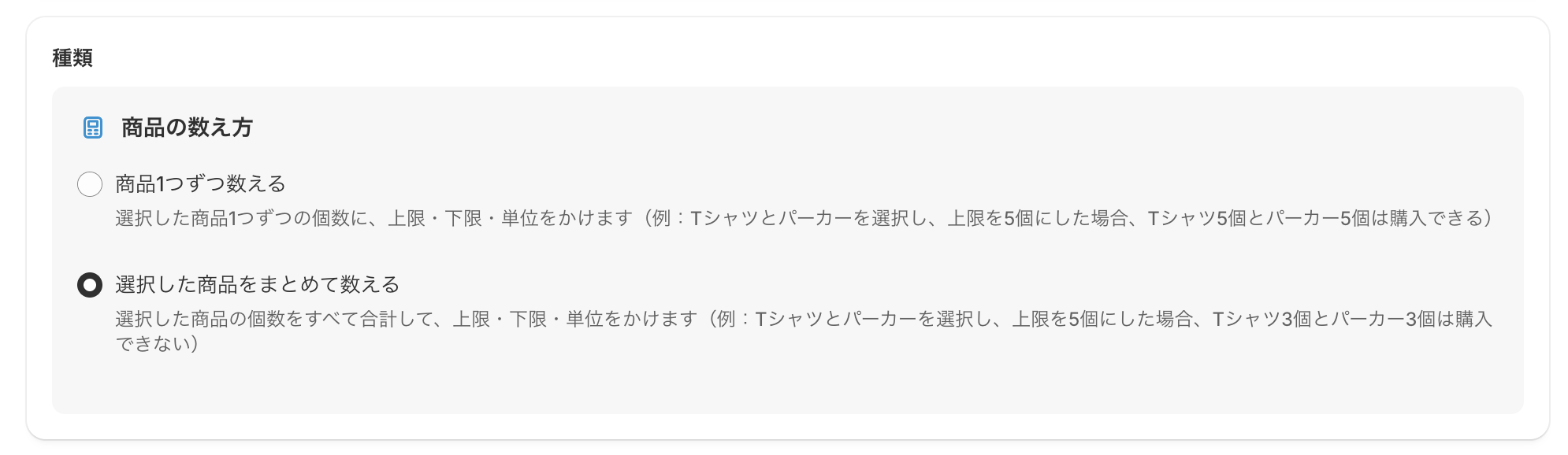
The quantities of all selected products are added together, and the maximum, minimum, and unit apply to the total (example: if you select a T-shirt and a hoodie and set the maximum to 5, the customer cannot buy 3 T-shirts and 3 hoodies).
▪️「商品を選択」(Select products)
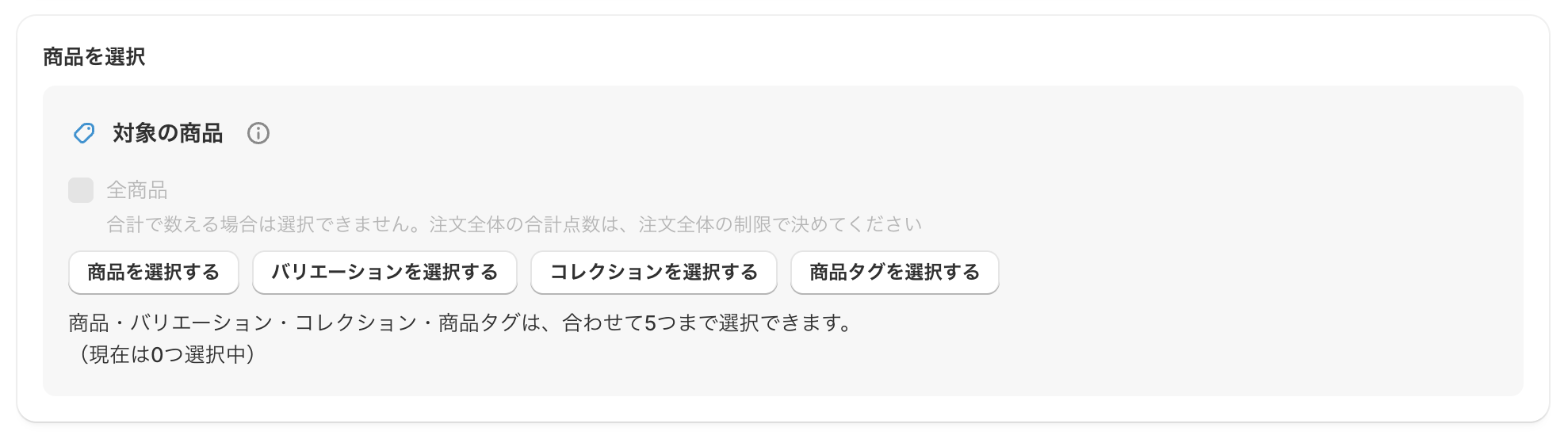
「対象の商品」(Target products)
Set the products whose quantity per order (maximum and minimum) is limited.
How it is checked
・The quantities of all products that match the selected products, variants, collections, and product tags are added together, and the total is checked against the maximum and minimum.
・Even if the same product matches two or more of your selections, it is not counted twice.
①「商品を選択する」(Select products)
②「バリエーションを選択する」(Select variants)
③「コレクションを選択する」(Select collections)
④「商品タグを選択する」(Select product tags)
* You can choose up to 5 items in total from ① to ④.
* With this counting method, 「全商品」(All products) cannot be selected. To limit the total number of items in the whole order, use the 「注文全体の制限」(Order limits) menu instead.
▪️「個数」(Quantity)
「個数の上限」(Maximum quantity)
Set the maximum total quantity of the target products that can be bought in one order.
Example: if you select a T-shirt and a hoodie and set it to "5" ➔ 3 T-shirts and 3 hoodies (6 in total) cannot be bought.
「個数の下限」(Minimum quantity)
This is checked only when a target product is in the cart. If the total of the target products is less than the number you set, the customer cannot buy (the same number as the minimum is allowed).
「個数の単位」(Quantity unit, for bulk purchases and so on)
If a target product is in the cart, the customer cannot buy unless the total quantity is a multiple of the number you set.
Example: when set to "2" ➔ a total of 2, 4, 6, … can be bought / a total of 1, 3, 5, … causes an error.
How quantities are counted
・Whether you select products, variants, collections, or product tags, the quantities of all matching products are added together into one total (they are not split by product or by variant).